Eagle Bank & Trust

Banking Above the Rest

    • Sign On
    • Locations
    • Search
    • Menu
      • Personal Banking
        • Mobile Banking
        • Personal Checking
        • Loans
        • Credit Cards
        • Summit 55 Travel
        • Savings
      • Business Banking
        • Mobile Banking
        • Business Checking
        • Credit Cards
        • Savings
        • Loans
        • Cash Management
        • Mortgage Loans
          • Find-A-Lender
          • Types of Loans
          • Mortgage Tools
            • Home Purchase Basics
            • Checklist
            • Glossary
            • Calculators
        • Mobile Banking
          • Mobile Wallet
          • Card Suite Lite
          • Zelle®
        • Home
        • Sign On
        • Locations & Hours
        • Contact Us
        • Our Story
        • Financial Calculators
        • Careers
        • News & More

    Eagle News & More

    Introducing SecurLOCK Equip

    Eagle Bank|November 30, 2020
    Share

    With SecurLOCK Equip, you can:

    • Prevent fraud if your card is lost or stolen
    • Control spending by setting limits on withdrawals or transactions
    • Customize spending ability by online, mobile or in-store purchases
    • Block international or out-of-area transactions

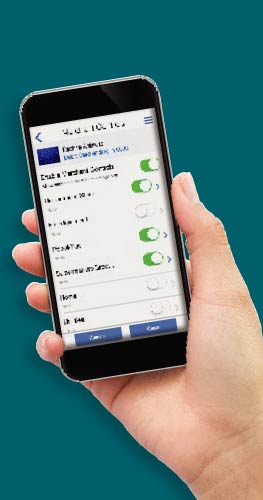
    SecurLOCK Equip is an easy-to-use mobile app that puts the power to protect your debit cards in your hands.

    Simply use the app to turn your card on or off in real time as needed. Or customize your cards by setting permissions for transactions by location or buying channel.

    SecurLOCK Equip also provides real-time transaction alerts so you always know when your card is in use.

    And you have 24/7 access to review your transaction history, right at your fingertips.

    Experience the ultimate spending control and peace of mind that comes with SecurLOCK Equip, the simple, secure way to manage and protect your debit cards. Call Eagle Bank Account Services at (501) 362-5821 today to learn more!
    Want SecurLOCK Equip?

    1. Simply download the SecurLOCK Equip app from GooglePlaySM or the AppStoreTM.

    2. Follow the easy steps to connect your Eagle Bank debit cards.

    And, that’s it!

    1App StoreSM is a service mark of Apple Inc. Google Play™ store is a registered trademark of Google, Inc.
    *Mobile carrier charges may apply for SMS and Data usage.
    << Last Post
    Cathy Owen elected 2021-2023 Board of Directors for American Bankers Association
    Next Post >>
    Stay Aware and Stay Safe: COVID-19 Scams
    More News

    Eagle Bank And Trust

    • Our Story
    • Locations
    • Careers
    • News & More
    • Contact Us
    • Terms of Use
    • Privacy Notice
    • Mobile Privacy Notice
    • Accessibility

    Helpful Resources

    Customer Service: (501) 362-5821
    Suspected Fraud: (501) 362-5821
    Lost/Stolen Debit Card: (800) 754-4128
    Debit Card Dispute: (833) 995-2888
    Routing Number: 082001179

    Instagram Facebook
    © 2026 Eagle Bank. All rights reserved.
    Member FDIC Equal Housing Logo
    Notice

    You are leaving Eagle Bank and Trust Company's website and will be redirected to another site. Eagle Bank and Trust Company makes no endorsements or claims about the accuracy or content of the information contained in these sites. The security and privacy policies on these sites may be different than those of Eagle Bank and Trust Company.